

The best alternative to Wix may not be another website builder. If you’re searching for alternatives to wix for australian small business, the bigger question is who’ll build and manage your site, who’ll control its key assets, and how much work you want to take on yourself.
It makes sense to compare platform costs, templates and features first. But switching can also mean rebuilding pages, redirecting URLs and protecting search visibility. A DIY option keeps you hands-on, but takes time to learn and maintain. A professionally built site shifts much of the initial work off your plate. With SSAWAY, there’s no upfront payment, and you review and approve the finished website before payment.
This guide compares Wix with Squarespace, WordPress and Webflow, then weighs those platforms against a professionally built website. You’ll see the trade-offs in ongoing costs, flexibility, SEO, technical effort and suitability for service businesses or online shops. We’ll also cover what to plan before leaving Wix, so you can choose an approach that fits your budget, skills and business model without treating a rebuild as a simple switch.
Key Takeaways
- Compare alternatives to wix for australian small business by the work involved, not just the features on offer.
- Match Squarespace, WordPress, Webflow or a professionally built site to your preferred balance of control, learning and upkeep.
- Plan for a possible rebuild when switching, and protect search visibility by listing the pages, URLs and content you need to keep.
- Decide whether you need a simple online presence, a shopfront or a full e-commerce website before choosing your next approach.
- A built-for-you website can reduce hands-on setup work, with a finished site to review and approve before payment.
Wix alternatives? Start with what your site needs to do
Before comparing platforms, pin down what’s prompting the search. Your business may have changed. You might need new service pages, a clearer way to handle enquiries, product listings or a structure that’s easier to manage. Or the issue may be the time and effort involved in maintaining the site yourself. Each problem points to a different solution.
A Wix alternative is either a different website platform you manage yourself or a different way of getting your website built. That distinction matters. A new DIY platform still leaves you in charge of setup and upkeep. A professionally built website changes who does the building, even if you still manage parts of the site afterwards.
Compare four things before you shortlist options: control over the site, effort needed to build it, flexibility to support your plans, and ongoing management after launch. Website builders vary in how they work, as outlined in What is a Website Builder? The right choice depends less on a feature list than on the work you want to own.
For a quick starting point, write down the main job of your website and the tasks it needs to handle. A tradie who needs to explain services and receive quote enquiries has different requirements from a retailer managing products and online orders. If the site is mainly a place for customers to check opening hours, services and contact details, a simpler setup may be enough.
When does it make sense to consider leaving Wix?
Consider a change when your current pages, workflows or site structure can’t sensibly support the business anymore. For example, you may have added services but can’t present them clearly, or your enquiry process now involves steps the site doesn’t handle well. First separate a platform limitation from unfinished setup: missing content, unclear navigation or an incomplete contact page may be fixable without moving. Name the problem before choosing a replacement.
What should an Australian small business expect from an alternative?
At a minimum, customers should be able to understand what you offer, use the site on a mobile and find a straightforward way to enquire or buy. The right structure depends on whether you need bookings, service information, product pages or a simple online presence. For each alternative, check how it handles an Australian domain, your required payment options and the search settings you rely on. Don’t assume those details transfer automatically with the website.
Use this practical test: can the option support what customers need to do, and can you realistically manage the work it creates? If not, the platform may be a poor fit even if its editor looks appealing. Alternatives to Wix for Australian small business owners include both DIY tools and a built-for-you approach. Start with your business needs, then compare which option offers the right balance of control, effort, flexibility and ongoing responsibility.
Wix alternatives compared: Squarespace, WordPress, Webflow and a built-for-you site
There’s no single winner for every Australian small business. The best fit depends on how much control you want and whether you’re prepared to build and maintain the site yourself. This comparison focuses on the work involved, not just the editor.
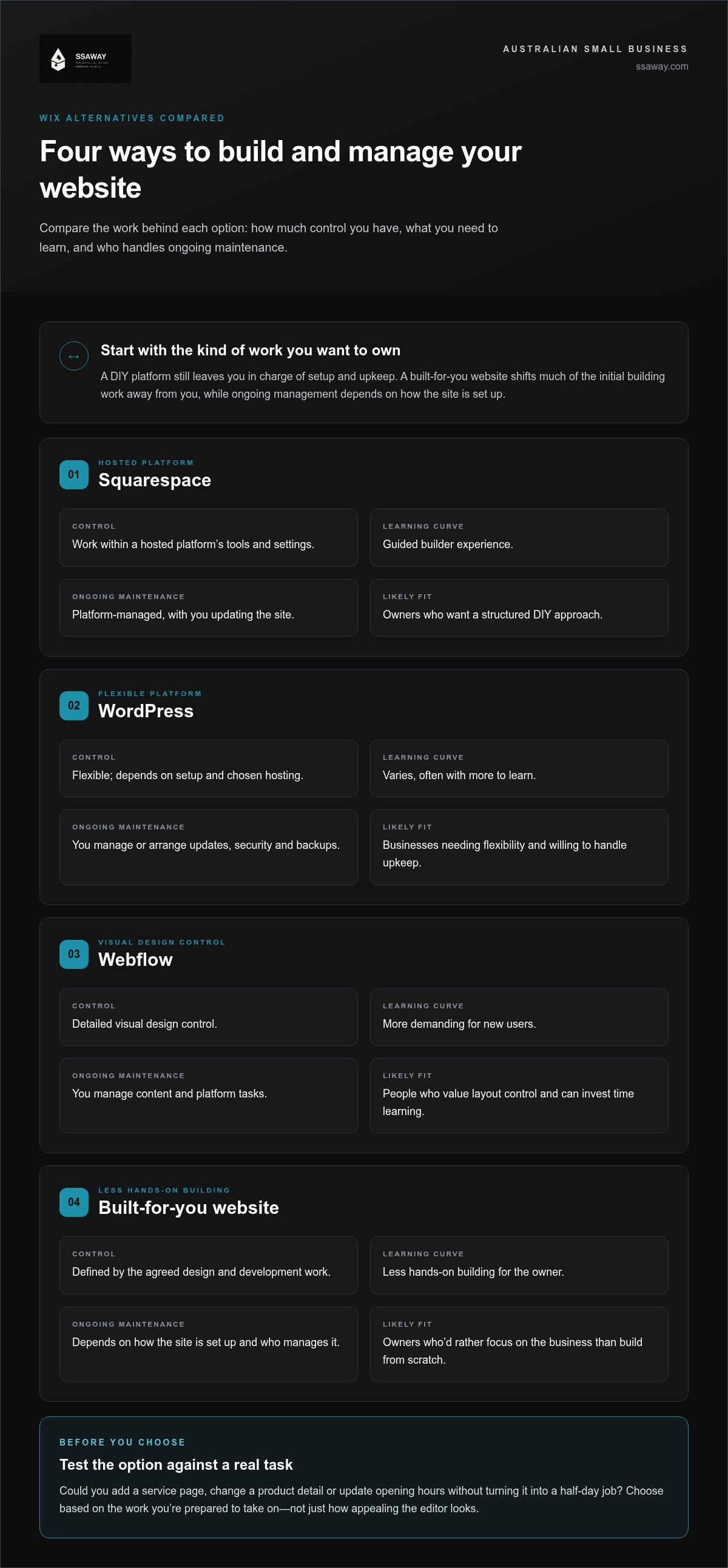
| Option | Control | Learning curve | Ongoing maintenance | Likely fit |
|---|---|---|---|---|
| Squarespace | Work within a hosted platform’s tools and settings | Guided builder experience | Platform-managed, with you updating the site | Owners who want a structured DIY approach |
| WordPress | Flexible; depends on setup and chosen hosting | Varies, often more to learn | You manage or arrange updates, security and backups | Businesses needing flexibility and willing to handle upkeep |
| Webflow | Detailed visual design control | More demanding for new users | You manage content and platform tasks | People who value layout control and can invest time learning |
| Built-for-you website | Defined by the agreed design and development work | Less hands-on building for the owner | Depends on how the site is set up and who manages it | Owners who’d rather focus on the business than build from scratch |
These are broad comparisons, not a substitute for checking the current platform features and plan limits that matter to your site. For practical guidance on setting goals and choosing a setup, the Australian Government Advice on Business Websites is a useful starting point.
When might Squarespace, WordPress or Webflow suit your business?
Squarespace is a hosted builder, so the platform provides the environment for building and running your site. It may suit owners who prefer a guided experience, but check its current features against your needs, especially for selling products, taking bookings or handling enquiries. WordPress offers flexibility, though the amount of setup and upkeep depends on your hosting and configuration. Webflow gives users detailed visual design control, but that control can take time to learn.
Think about a real task, not just a feature. Can you add a service page, change a product detail or update opening hours without turning it into a half-day job? If you want to make those changes yourself, factor in time to learn the editor and manage the site. If you need more flexibility, be realistic about who will look after the extra setup and ongoing work.
How does a professionally built website differ from a DIY builder?
A DIY builder puts the initial setup, page design and content entry in your hands. With a built-for-you approach, the site is designed and developed for your business instead. SSAWAY offers one-page, shopfront and e-commerce website packages, plus custom development. Clients review and approve the finished website before payment, with no upfront payment required. It’s a different build approach, not another DIY platform.
When weighing the alternatives to wix for australian small business, compare the effort you’ll put in after launch as well as the initial build. See SSAWAY's website design approach to understand how a professionally built site could suit your business.
Compare ownership, SEO and migration before switching from Wix
Changing platforms isn’t a single transfer. Your website account, domain registration, written content, images and business records are separate things, and they may be managed in different places. For example, your domain and business email could be set up independently of the Wix site. Before making changes, identify who controls each item and how to access it.
A move may involve rebuilding pages on the new platform rather than copying the whole site across. The options depend on the platforms and the items you want to move, so check current migration tools and limitations for Wix and your chosen alternative. Builder round-ups such as Forbes' Top Website Builder Comparisons can help with platform research, but a feature comparison won’t replace a specific migration plan.
Protect search visibility by preserving useful content and mapping relevant old URLs to suitable new pages. This reduces the risk of sending visitors and search engines to missing pages, but can’t guarantee rankings will stay the same. SEO tools are only part of the picture; clear content, sound page structure and careful launch checks matter too.
What should you inventory before rebuilding a Wix website?
Make a working list before you start building. Record the pages you need, their current URLs and titles, and which pages attract relevant search traffic. Include images, forms, products and essential connections to other tools. This helps you identify what needs to be recreated, reviewed or replaced, rather than discovering a missing enquiry form after launch.
- Pages and search details: Note page names, titles, URLs and content worth keeping.
- Business content and functions: Gather images, forms, product information and essential integrations.
- Separate accounts: Check domain registration and business email arrangements independently from the website platform.
- Business records: Identify any customer, order or enquiry data you need, and check how it can be accessed or exported under the platform’s current arrangements.
How can you reduce disruption during a platform switch?
Plan a new destination for every important old URL. Where a page address must change, map it to the closest relevant replacement and arrange a redirect if the platform supports it. Don’t send every old page to the homepage; visitors need a useful destination. Keep a record of old and new URLs so you can check the mapping after launch.
Before replacing the live site, test key tasks on mobile and desktop. Submit each form, try the checkout process if you sell online, and confirm analytics are recording as expected. After launch, monitor priority pages and search visibility. If a page disappears, a redirect fails or enquiries drop unexpectedly, investigate promptly.
For anyone weighing alternatives to wix for australian small business, an inventory and URL map make the decision more manageable. They show what must be rebuilt, what needs separate attention and which parts of the current site are worth carrying forward.
Choose the right Wix alternative with this small-business decision framework
Use this sequence to narrow your options before comparing platform features. It keeps the decision tied to your customers, your day-to-day workload and the site you actually need, rather than the longest feature list.
- Define the site’s main job. Do customers need to check your services and send an enquiry, browse products, book a service or buy online? Pick the primary task first. A site that mainly explains what you do may not need the same setup as an online store.
- List the features needed to do that job. Note essentials such as service pages, enquiry forms, bookings, product management, checkout and payment options. For each platform, verify current support for the features you’ll use, including Australian domain and payment requirements.
- Decide how much work you’ll take on. Include initial setup, adding content and making future edits. A DIY builder gives you direct hands-on control, but you’ll need time to learn and manage it. A built-for-you site reduces the owner’s setup work, while ongoing edits and management still need a plan.
- Set your flexibility and support needs. If your plans are simple, a guided builder may be enough. If you expect custom functions or a more involved site structure, consider how the platform can support those needs and who will handle changes as the business grows.
Which option fits a service business, shop or growing company?
A service business should make its services, service areas and enquiry path easy to understand. A shop needs to assess product management, checkout and payment support against its real selling process. If online sales are central, the companion guide E-commerce Website Packages: How to Choose the Right Fit in Australia can help you think through the type of shop site you need. A growing company should also consider custom requirements and who will manage future changes, not just the launch build.
How much time and control do you want to manage yourself?
Choose DIY if you want to build pages, update content and manage the platform yourself. That route gives you hands-on control, but be realistic about the time you can set aside. If you’d rather focus on running the business, a professionally designed and developed site is another approach. SSAWAY offers one-page, shopfront and e-commerce website packages, as well as custom development.
There’s no universal winner among the alternatives to Wix for Australian small business owners. Match the option to your site’s purpose, essential features and preferred level of involvement. If a professionally built site suits that balance, explore website options for your business.
A practical Wix alternative: get a website built around your business
A website builder gives you the tools to make a site yourself. Website design and development is a different option: the site is built for your business, rather than assembled by you inside a DIY platform. That can suit owners who want a professional website but don’t want to take on all the setup and design work.
SSAWAY builds one-page, shopfront and e-commerce websites, and provides custom development with SEO optimisation. The right format depends on what customers need to do on your site. A focused online presence doesn’t need the same structure as a business that sells products online. A specific requirement may call for custom development rather than a standard package.
What does SSAWAY build for small businesses?
A one-page website can suit a business that needs a clear, focused online presence. A shopfront website can present a service business online, with space to explain what it offers and help customers take the next step. An e-commerce website is for businesses selling products online. Custom development is an option when the project calls for a tailored approach. SSAWAY also includes SEO optimisation as part of its website work.
These are build approaches, not competing platform subscriptions. Think about the content customers need, the actions they should be able to take and how your business may change. That gives the project a useful starting point without adding features you don’t need.
How does review-before-payment reduce uncertainty?
There’s no upfront payment required. The website work is completed first, then you review the finished website and approve it before payment. That sequence gives you the chance to see the work before paying, addressing a common concern with hiring someone to build a replacement site. It doesn’t promise a particular business result or search ranking. It does make the payment process clear.
For owners comparing alternatives to Wix for Australian small business, the choice isn’t limited to switching from one editor to another. You can keep building and maintaining the site yourself, or choose a website designed and developed around your business. Consider the amount of hands-on work you want, the type of site you need and whether custom development is important. Then compare the build process as carefully as the platform features.
If a professionally built site fits your needs, explore SSAWAY website design and development.
Choose a website path that makes your next step easier
Your next move doesn’t need to be a rushed platform switch. First, decide what you want your website to help customers do, then choose a build approach that fits the time and control you want to take on. That gives you a clearer brief and a stronger basis for comparing alternatives to wix for australian small business.
If you’d rather not build the site yourself, SSAWAY offers one-page, shopfront and e-commerce website packages, alongside custom development. Projects are priced under A$1,000, with no upfront payment. You review and approve the finished website before payment, so you can see the completed work before paying.
Explore a website built for your business with SSAWAY and take the next step with a clear idea of what your business needs. A good website decision starts with a practical fit.
Frequently Asked Questions
Can I keep my .com.au domain if I leave Wix?
Yes, provided you keep control of the domain registration. A website platform and a domain name are separate, so leaving Wix doesn’t automatically mean giving up your address. Find out which account manages your domain, keep its login and renewal details, then arrange for the domain to point to the replacement site. Take care with DNS changes, as incorrect settings can affect both your website and email.
Will I lose my website content when I cancel Wix?
Don’t assume your content will transfer automatically or remain accessible after cancellation. Before changing your account, save copies of important text and images, and record product details and page addresses. Check Wix’s current export and account-access options for the content you need, including customer or order records if relevant. This gives you a backup and time to rebuild or move essential material before the old site is no longer available.
Do Wix alternatives require coding skills?
No, many website builders are designed for visual editing, so you can create pages without writing code. The learning curve depends on the platform and the changes you want to make. For example, adding text to a page may be straightforward, while custom layouts or functions can take more work. Before committing, try a typical task you’ll do regularly, such as updating a service page or adding a product.
Can I keep my business email address when I switch from Wix?
Usually, yes, if your email service is separate from the website and you keep the domain registration active. Identify which provider hosts your mailbox and save its current settings before changing where the domain points. Email depends on domain records as well as the website, so a missed or overwritten setting can interrupt messages. Keep the email service running during the change and test sending and receiving afterwards.
Can I keep using Wix while a replacement website is being built?
Usually, you can keep the existing site live while the replacement is prepared, as long as your Wix site and account remain active. This lets customers continue using the current website while you check the new one. Before launch, test key pages and enquiry or checkout functions, then plan when to point your domain to the replacement. Avoid cancelling or changing domain settings until you’re ready to switch.
Is a website builder or a professionally built website better for a small business?
It depends on the time and responsibility you want to take on. A builder can suit an owner who’s comfortable creating pages, learning the editor and making updates. A professionally built site can suit a business that would rather not handle the initial design and setup. Compare not only the build, but also who can make future edits and manage the site once it’s live.
Can a Wix alternative support an online shop in Australia?
Yes, several alternatives can support online shops, but their current features and payment options differ. Before choosing, check that the platform supports your preferred Australian payment methods and currency, and can handle the products, delivery arrangements and checkout steps your customers need. If you sell products with different options, such as sizes or colours, test how those are displayed and managed. The right fit depends on your actual sales process.